 中文 (中国)
  English
App: Spotify
To use the Spotify plugin, you must create a Spotify Developer App.
(A Spotify Premium Account is required)
Create Spotify Developer App
1. Go to the Spotify Developer Dashboard

2. Log in and open the Dashboard
3. Click “Create an App”
4. Fill in the form with the following information:
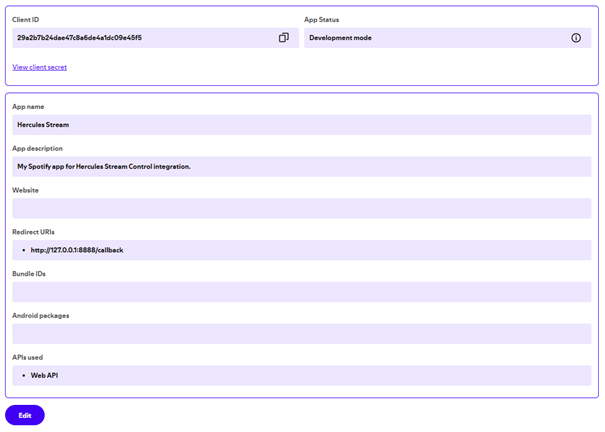
a. App name: Hercules Stream
b. App description: My Spotify app for Hercules Stream Control integration
c. Website: (leave empty)
d. Redirect URI: http://127.0.0.1:8888/callback (click “Add”)
e. Which API/SDKs are you planning to use?: Web API (check the box)
f. Accept the Terms and Conditions.
g. Click « Save »
You should have an App settings similar to this following image
How to connect on Stream Control
1. Open your newly created Spotify app
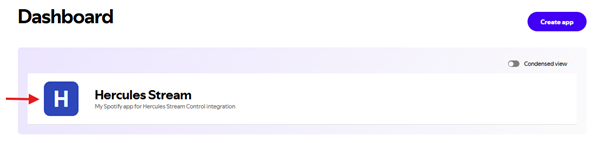
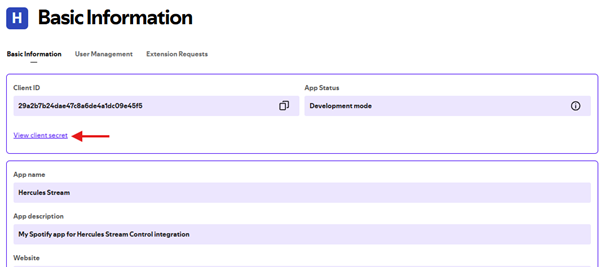
2. Click « View Client Secret »
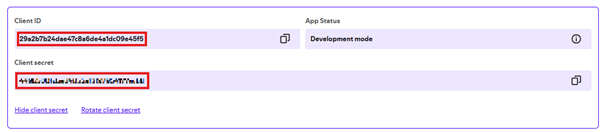
3. Copy the Spotify API Credentials (Client ID & Client Secret)
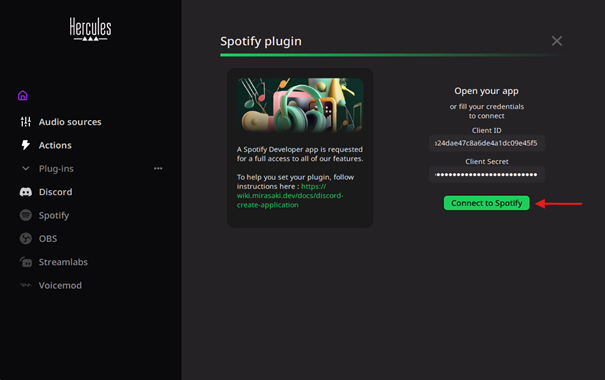
4. Past them into the corresponding fields in the Spotify plugin settings page in Stream Control and click « Connect to Spotify »
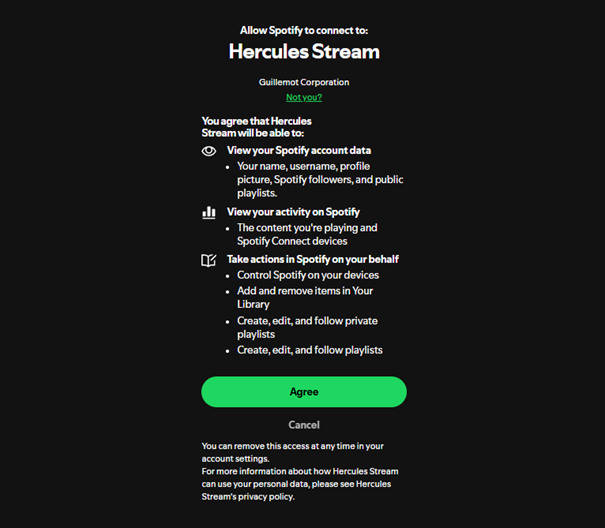
5. A new website page will open. Click « Agree »
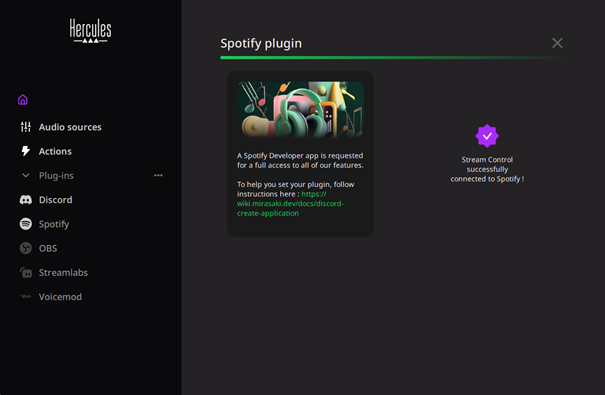
6. You will know you are connected when a purple icon appears.
Spotify features available on Stream Control
Once you have successfully logged in, you will be able to access all these features:
- Skip to the Next song
- Go back to the Previous song
- Play/Pause the current track
- Mute the current song
- Like the current song
- Add the current song to a specific playlist
- Remove the current song from a specific playlist
- Start a specific playlist
- Enable / Disable shuffle mode
- Change the repeat mode
- Adjust the song volume